


Trusted Traveler
4.933.00 Reviews
App Specs
- Version
- 1.30.0
- Updated On
- License
- Free
- Downloads
- 50,000+
- Developer
- U.S. Customs and Border Protection
- Categories
- Travel & Local
- Platform
- Android
Screenshots
 Analysis by AppCompare
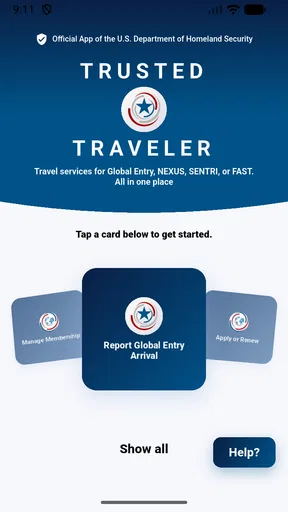
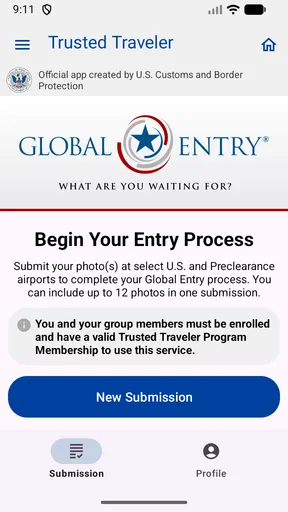
When I am preparing for a trip, I want government travel paperwork to feel manageable before I reach a busy airport. Trusted Traveler is aimed at that specific part of the journey: it gives members of U.S. Customs and Border Protection’s Trusted Traveler Programs a mobile place to manage their program-related tasks and support smoother airport entry processing. I see its value less as a general travel companion and more as a focused tool for people who already participate in those programs.
Useful when your travel account is part of the journey
That distinction matters. The Travel & Local category includes everything from itinerary planners to city guides, but this app is not trying to help me choose a hotel, find a restaurant, or track a flight. It is built around a relationship with a government travel program. If you are enrolled and travel often enough for that membership to matter, having the relevant account experience on a phone can be convenient. If you are not a member, it is unlikely to become a useful everyday travel app simply because you install it.
The developer is U.S. Customs and Border Protection, which makes the app’s purpose unusually specific compared with the usual alternatives. A conventional travel organizer gathers bookings and reminders across airlines and hotels; Trusted Traveler is concerned with the program side of travel. I would use it alongside those tools, not instead of them. Keeping the roles separate also helps avoid the mistaken expectation that it can replace airline check-in, passport requirements, or a trip-planning service.
The app is free, rated for Everyone, and has an average rating of 4.9 from around 1.1 thousand ratings, with more than 50 thousand installs. Those figures suggest strong interest among its audience, but they do not tell me whether it will fit every traveler’s situation. Its current version is 1.30.0, and it requires Android 9 or later. Those details are practical checks before downloading, especially if you use an older phone or are deciding whether to make this your primary way to interact with a program account.
Trust starts with keeping the purpose narrow
For an app connected to border and travel processes, I think trust should be judged carefully rather than assumed from a familiar government name or a polished interface. The useful question is what the app lets a traveler do and what choices are visible while doing it. Its stated role is to manage Trusted Traveler Programs and assist with entry processing at airports. That narrow remit is reassuring in one sense: I can understand why I might open it and how it fits into a trip.
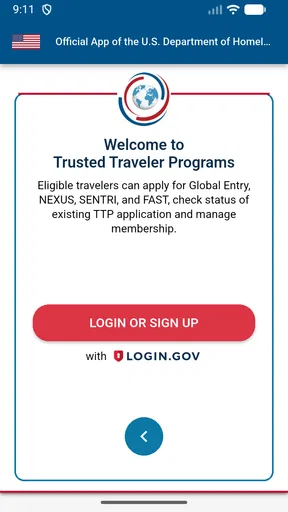
At the same time, I would not treat a clear purpose as a complete explanation of data handling. Travel-program accounts can involve information people consider sensitive, so I would read any notices shown during sign-in or account actions and pay attention to what information is requested. I would avoid entering account details while distracted in a queue, and I would make sure I am using the official app rather than relying on a lookalike name in a search result. Those are sensible precautions for any account that intersects with travel identity and official processing.
I also like to keep expectations grounded. An app that helps manage a program does not automatically determine eligibility, guarantee faster processing, or replace the rules that apply at an airport. I would still check the relevant program requirements and follow instructions from airport staff. The app can make the digital side easier to reach, but the traveler remains responsible for having the right documents and allowing enough time for the trip.
Worth Reading Before You Choose

Baby Panda World Brings Quick Play to Modern Phones, but Its Game Library Feels Busy

ESPN’s Live Game View Makes Following Close Games Easier

QuizzLand Review: A Good Fit for Short Trivia Breaks, Not Every Player

Basketball Stars: Multiplayer Is Fast, but Can It Recover When Matches Go Wrong?

WEBTOON Turns Phone Updates Into a Better Reading Routine

Link to Windows Runs on Shared Habits, Not Social Feeds
How I would use it before and during a trip
A practical routine is to deal with account tasks at home rather than waiting until departure day. Before a planned trip, I would open the app when I have a stable connection, review the account information and any available program actions, and resolve anything that needs attention while I have time to think. That is more useful than opening it for the first time at the airport, where a weak connection, a line, or simple travel stress can turn a small sign-in problem into a distraction.
For example, imagine I am leaving early for a work trip and have already checked in with my airline. The night before, I can use Trusted Traveler for the program-related part of my preparation, then keep my boarding pass and itinerary in the airline’s app. In the morning, I am not trying to remember which service handles which task. This division is a small but meaningful workflow improvement: the airline app handles the flight, while this one handles the trusted-traveler account context.
A second useful habit is to check the app after a change in travel plans rather than assume that an old screenshot or saved note is still sufficient. When an account-related detail matters, I prefer to consult the current account view instead of relying on information copied months earlier. I would not assume the app works offline or that every airport interaction can be completed within it; I would prepare any essential account access before leaving home and keep ordinary travel documents available as well.
There is also a privacy trade-off in deciding when to use a phone for account access. A crowded gate is a poor place to review personal information if other people can see the screen. I would step aside, use the app before entering a busy area, and avoid leaving the account open after I finish. These are not special hidden controls; they are straightforward ways to reduce exposure when handling a travel account in public.
Controls and choices deserve a deliberate look
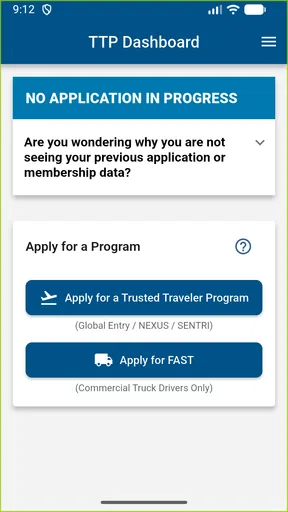
My standard approach with an official account app is to distinguish between what it visibly lets me control and what I should not assume. I would look for account-management options, review any prompts before accepting them, and make sure I understand whether an action changes a profile or simply displays information. When a permission request appears, I would ask whether it makes sense for the task I am trying to complete instead of granting access automatically.
This is especially important because a phone permission and an account permission are not the same thing. A device prompt governs access to a phone feature; a program account governs access to services tied to the traveler. I would consider each request in context and use the app’s own explanations as my guide. If a permission is optional and unrelated to the task I need, declining it may be the more comfortable choice. If an account action is required to complete a specific task, I would pause long enough to understand what I am confirming.
I would also keep the app updated through the platform’s normal app store process. That is a practical maintenance habit rather than a promise about any particular security measure. If I share a device, I would be more cautious about leaving an account signed in and would use the device’s own screen lock. Before handing the phone to someone else or letting a family member use it, I would close the account view and make sure private details are not sitting on screen.
One limitation of this kind of focused app is that it can concentrate important actions in a single account experience. That is convenient when everything works, but it means I would not make the phone my only plan for travel-day essentials. I would keep the required identification and any necessary trip documents accessible independently. If a login fails, the device battery runs low, or connectivity becomes unreliable, having a backup prevents the app from becoming a single point of frustration.
Who will benefit, and who may prefer another route
I would recommend Trusted Traveler to people who are already connected to one of the programs it supports and want a direct mobile route to program management. Frequent flyers may appreciate being able to handle account-related preparation separately from booking and airline tasks. Someone who travels occasionally can still benefit, particularly when a planned journey gives them a reason to check their program account in advance.
It is a weaker fit for a traveler who wants one app to organize an entire holiday. It does not replace a map, itinerary manager, airline app, or general trip planner. It is also not the right starting point for someone who has not joined a relevant program and is only looking for a way to move through an airport more quickly. In that case, I would first learn about the program and its eligibility and enrollment process through official channels rather than expect this app alone to provide a shortcut.
Compared with relying only on a website, a mobile app can be easier to reach when I am already carrying my phone and preparing for a departure. A website may still be preferable for a longer session, careful form review, or account work that is easier on a larger screen. I would choose based on the task: quick account checks fit naturally on mobile, while anything requiring concentrated review deserves a quiet moment and whichever device is more comfortable.
Travelers who are especially cautious about putting account information on a phone may prefer to use an official web route when available and keep the app off a shared or poorly secured device. That is a personal trade-off, not a reason to dismiss the app outright. The convenience of a mobile account is most worthwhile when the phone is protected, the traveler understands the prompts, and the app is being used for a clear purpose rather than opened casually in public.
A measured recommendation for program members
My overall view is favorable but deliberately practical. Trusted Traveler has a clear audience and a useful place in a travel routine: it brings program management closer to the moments when members are preparing to travel. Its strongest value is not that it replaces the rest of a trip’s tools, but that it can keep this particular account task from getting lost among airline messages, hotel confirmations, and packing reminders.
I would install it if I were an eligible program member who wanted a mobile option, then take a few minutes at home to understand the account flow and any choices presented. I would use it before a trip, not depend on it as my only source of travel documentation, and stay attentive to privacy when checking account details in public. If you want a broad travel planner or have no connection to a Trusted Traveler Program, you can skip it without missing a general-purpose travel essential.
For the right traveler, the app is a focused convenience rather than a magic pass through the airport. That is a fair role for it. I find the best approach is to use Trusted Traveler as one carefully managed part of travel preparation, keep airline and document tasks in their appropriate places, and make decisions about account access with the same care I would give any sensitive travel service.
In short, I would recommend it to current program members who value having account tasks on their phone and are comfortable managing access thoughtfully. Its official, narrow focus is an advantage when that is exactly what you need, while its limited scope makes it easy to rule out if you are seeking maps, bookings, or a complete trip dashboard. For travelers in its intended audience, Trusted Traveler is worth considering as a practical companion, provided you keep a backup plan and remain in control of when and where you access your account.
Pros
- Offers a dedicated way to manage details for trusted-traveler programs.
- Can help keep traveler information accessible when preparing for a trip.
- Useful for travelers who regularly use eligible expedited-travel services.
- Mobile access can be more convenient than carrying printed program details.
- May simplify checking relevant enrollment information while on the go.
Cons
- Benefits depend on having an eligible trusted-traveler membership.
- Features and supported programs may vary by country or region.
- Some functions may require an internet connection.
- Out-of-date program details could cause confusion; verify requirements officially.
- Storing personal travel details on a phone may raise privacy concerns.
FAQs for Trusted Traveler
What is Trusted Traveler?
Trusted Traveler is a travel-related app name that may refer to services for managing trusted-traveler programs or checking related information. Before downloading, confirm that the app’s developer and description match the service you intend to use. The name alone does not establish an official connection to a government agency, airport, or enrollment provider, so review the listing and privacy details carefully.
Is Trusted Traveler an official government app?
Do not assume that Trusted Traveler is an official government app based only on its name or branding. Check the developer’s identity, the app-store listing, and any linked website, and compare those details with the relevant government agency’s official site. If you need to apply, renew membership, or pay a fee, use a verified official channel and avoid sharing sensitive information with an unverified app.
What information might Trusted Traveler ask me to provide?
Depending on its purpose, an app with this name may request account details, travel preferences, or information related to a trusted-traveler membership. The exact data requested can vary by developer and version, so read the privacy policy and permission prompts before creating an account. Be especially cautious if the app requests passport, identity, payment, or biometric information without clearly explaining why it is needed.
Is Trusted Traveler free to download and use?
The price and available features depend on the specific Trusted Traveler app and its publisher. An app may be free to install but still offer paid features, subscriptions, or links to services that charge separate fees. Check the store listing for in-app purchases and review any payment terms before proceeding. A download fee or third-party charge should not be confused with an official application or membership fee.
How can I check whether Trusted Traveler is safe to download?
Before installing, verify the publisher, read recent user reviews, inspect the requested permissions, and review the privacy policy and update history. Download only from the official Google Play Store or Apple App Store, and avoid installation links from unsolicited messages or unfamiliar websites. If the app handles travel or identity details, confirm its legitimacy through the relevant service’s official website before entering personal or payment information.


